A Salesforce Service Cloud alternative for teams that outgrew nothing
Salesforce Service Cloud is an enterprise service platform: cases, omnichannel routing, contact center, AI agents and deep CRM integration, priced per user per month. Most small and mid-size teams looking for an alternative want one thing: customers answered quickly, without a licensing model, an implementation project and an admin. Bund AI is that narrower tool for web chat and email, at a flat monthly price.
Written by the Bund AI team · Updated September 23, 2026
What teams run into with Salesforce Service Cloud
Per-user licensing, priced by edition
Service Cloud is priced per user per month, with editions from Starter Suite at $25 up to Max at $550 on Salesforce's pricing page, most billed annually. Cost scales with headcount and with the edition your features sit in.
A platform to implement
Service Cloud is meant to be configured around your processes, often by an admin or a partner. That is the right call at enterprise scale and a lot of overhead for a team that wants answers sent.
AI is priced separately and not itemized on the page
Salesforce's page references Flex Credits for its agents, with additional credits available for purchase, but did not state a per-conversation rate when we checked. Budgeting for AI means asking sales.
Salesforce Service Cloud and Bund AI
How each one charges and what it actually resolves versus routes.
Salesforce Service Cloud
Bund AI
Best Salesforce Service Cloud alternatives & competitors
The Salesforce Service Cloud competitors teams most often shortlist, and who each one suits. Full disclosure: we make Bund AI, so it's first. The rest are the tools that come up most in buyers' shortlists and AI answers.
- 01
Bund AI · from $0.99 / month
AI agent for web chat and email that answers from your own content and takes the action: refunds, order changes, tracking and bookings. Hands off to your team with context. Flat monthly plans with seats included.
- 02
Zendesk
Enterprise help desk, deep and multi-channel, priced per agent with AI billed separately.
- Best for:
- Larger support teams that want a dedicated help desk instead of a CRM platform.
- Watch out:
- Per-agent seats plus per-resolution AI.
- 03
Freshdesk
Per-agent help desk with SLAs and routing, usually cheaper than enterprise suites.
- Best for:
- Teams that want real ticketing at a lower price than Salesforce.
- Watch out:
- Freddy AI is metered on top of seats.
- 04
Intercom
Messenger-first platform with the Fin AI agent, billed per outcome plus seats.
- Best for:
- SaaS teams that want in-app messaging and AI.
- Watch out:
- Seats plus per-outcome AI makes the bill harder to predict.
- 05
Zoho Desk
Low-cost help desk with a free plan for 3 users.
- Best for:
- Budget-conscious teams, especially if they also use Zoho CRM.
- Watch out:
- Per-agent, and AI sits on higher editions.
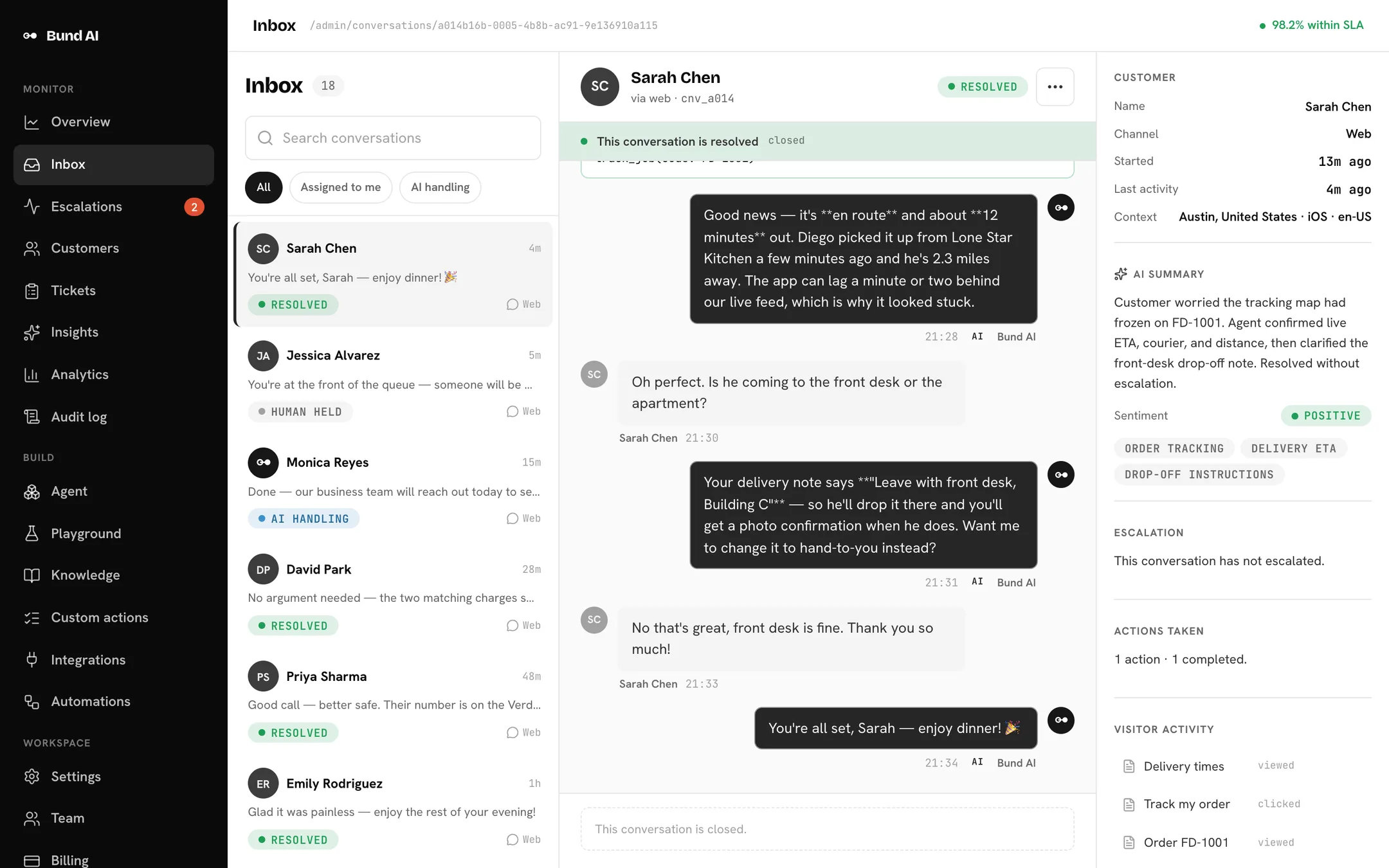
A resolved conversation, not just an assigned ticket
The agent answers the request from your own content, takes the action behind it, and leaves your team a full history if a person needs to step in.
When you should stay with Salesforce Service Cloud
Bund AI isn't the better choice for every case. Here's when we'd tell you not to switch:
Questions people ask
How much does Salesforce Service Cloud cost?
Worked example: 3 support users
Is Bund AI a replacement for Service Cloud?
What counts as an AI reply on Bund AI's plans?
Is there a contract, and how do I cancel?
Can I bring my existing data over?
What happens to my data?
Compare it yourself.
Start on the Basic plan for $0.99 a month, or book a demo to see the agent on your own conversations first.