Customer insights that surface churn, intent, and complaints from every chat
Bund AI is customer insights software that reads what your support inbox is really saying.
The roadblocks it removes
The why is buried in transcripts
The reasons customers leave or buy sit unread in your inbox. Bund AI analyzes every conversation and surfaces the signal, so you do not have to read transcripts to find it.
Churn shows up too late
By the time a cancellation lands, the warning signs were weeks old. Bund AI flags churn risk as it happens and alerts your team on high-severity signals immediately.
No one rolls it up
Individual tickets never add up to a picture. Bund AI scores CSAT, tracks mood and topics, and emails a weekly digest of what changed across your inbox.
It takes the action, not just the question
Bund AI extracts these signals on its own and alerts you on the high-severity ones right away. Risky actions pause for a one-tap human approval, and anything that truly needs a person hands off with full context.
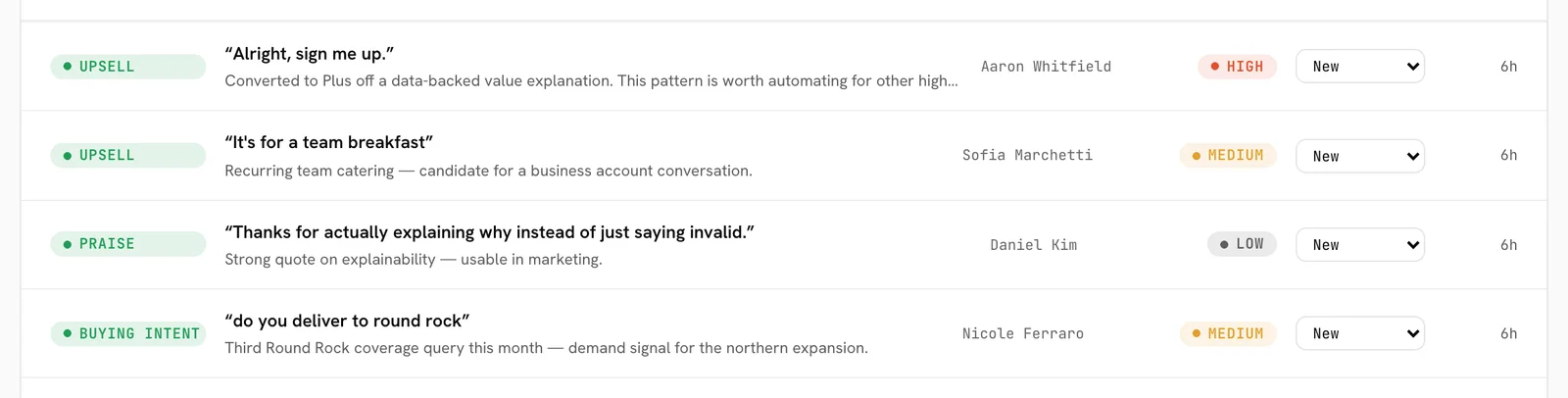
New high-severity signals alert your team immediately by email or Slack. Analysis runs after a conversation goes quiet.
Questions teams ask
What signals does it detect?
When does it analyze a conversation?
Do I get a summary instead of reading every chat?
Is this the same as conversation analytics or conversation intelligence software?
Hear what your inbox is actually telling you.
See it resolve a real ticket on your own support flow in a 20-minute demo, or get started today.